GDScript LSP integration for coc.nvim
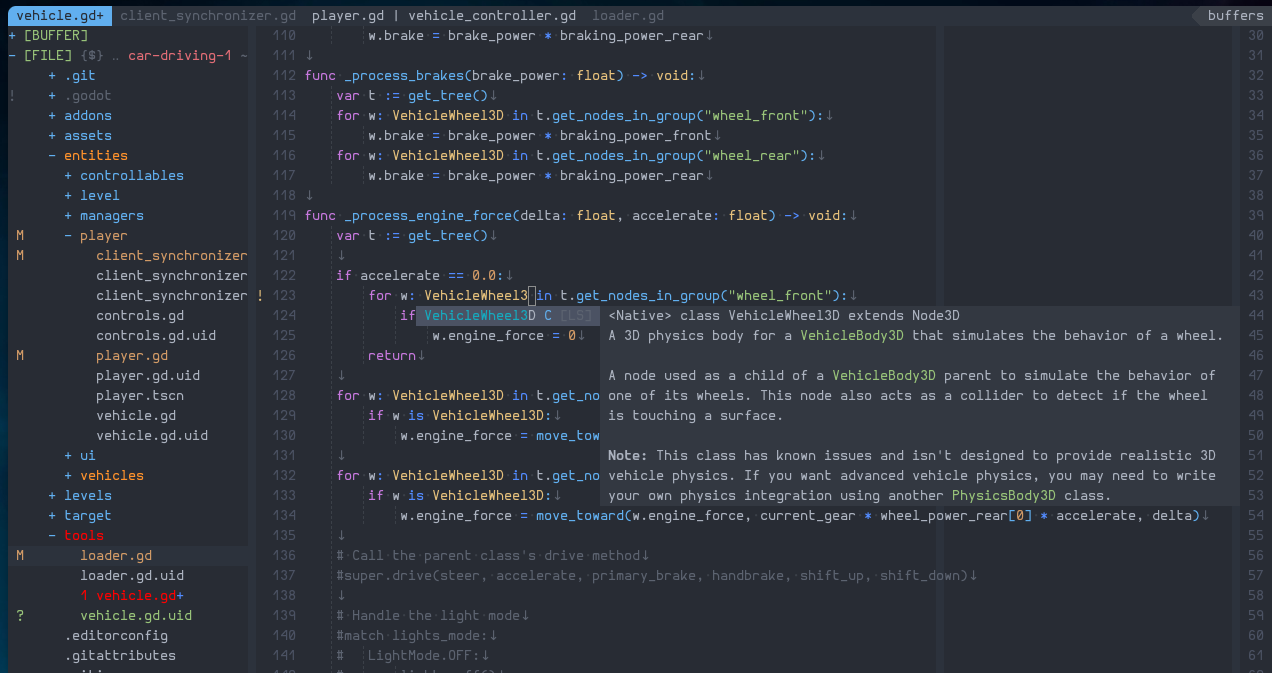
This extension provides out-of-the-box integration between the Godot 4 editor’s built-in Language Server and Vim/Neovim via coc.nvim. Enjoy IDE‑like features for GDScript and Godot shader files directly in your editor.
:CocInstall coc-gdscript- Automatic LSP Connection: Connects to Godot 4’s LSP server over TCP
(
127.0.0.1:6005) whenever you open a GDScript (.gd) or Godot shader (.gdshader) file, or when a Godot project (viaproject.godotor.godot/) is detected in your workspace. - Code Completion: Context‑aware autocompletion for GDScript methods, properties, and constants.
- Diagnostics: Real‑time syntax and semantic error reporting as you type.
- Hover: View documentation and type information on hover.
- Go‑to Definition: Jump to symbol definitions within your project.
- Signature Help: Parameter hints while writing function calls.
- Automatic Reconnection: If the Godot editor (and its LSP server) restarts, the extension will automatically attempt to reconnect without restarting Vim/Neovim.
All settings live under the godot namespace in your coc-settings.json:
{
  "godot.enable": true,
  "godot.host": "127.0.0.1",
  "godot.port": 6005
}| Setting | Type | Default | Description |
|---|---|---|---|
godot.enable |
boolean | true |
Globally enable or disable the Godot LSP integration. |
godot.host |
string | 127.0.0.1 |
TCP host where Godot’s LSP server listens (usually localhost). |
godot.port |
number | 6005 |
TCP port for Godot’s LSP server (default port 6005). |
- Open your Godot 4 project in Vim/Neovim. Make sure the Godot editor is
running with your project loaded—this starts the LSP server on port
6005. - Open any
.gdor.gdshaderfile. Coc.nvim will detect the filetype and/or the presence of a Godot project and automatically connect to the LSP. - Enjoy IDE‑like features: code completion, diagnostics, hover, go‑to definition, and more.
Contributions, issues, and feature requests are welcome! Feel free to:
- Fork the repository
- Create a branch (
git checkout -b feature/your-feature) - Commit your changes (
git commit -m 'Add some feature') - Push to the branch (
git push origin feature/your-feature) - Open a pull request
Please ensure code is formatted and tested before submitting.
This project is licensed under the MIT License. See the LICENSE file for details.
This extension is built with create-coc-extension