

In 2018, Pete Warden from TensorFlow Lite said, “The future of machine learning is tiny.” Today, with AI moving towards powerful Vision Language Models (VLMs), the need for high computing power has grown rapidly. GPU demand is at an all-time high, raising concerns about long-term sustainability. Now in 2025, seven years later, the big question is – have we reached that future yet? In this article, we test VLMs on edge devices using our custom Raspberry Pi cluster and Jetson Nano boards.
In this series of blog posts, we will perform experiments extensively on various boards. The Objective is to find the VLMs that are fast, efficient, and practical for edge deployment. While trying our best not to set fire on them!
- The Pi and Nano Cluster Setup
- Why the Edge Device Cluster for Running VLMs?
- Setup for Inferencing VLM on Edge Devices
- Vision Language Model Evaluation
- Code for Running VLM on Edge
- Inference Using Qwen2.5VL(3B)
- Inference Using Moondream2
The Pi and Nano Cluster Setup

Did you know that the width of Raspberry Pi is exactly 3.14 Inch? No it isn’t! I am just making things up. It has absolutely nothing to do with the value of Pi. We will discuss why I pulled up this information few blocks below. Jokes aside, we have used the following boards to build the cluster.
- RPi 2 Model B – 2 GB, No Cooling
- RPi 4 Model B – 4 GB, No Cooling
- RPi 4 Model B – 8 GB, No Cooling
- RPi 5 – 8GB, No Cooling
- Jetson Nano Devkit 2GB, Heat Sink, No Fan
- Jetson Nano 4GB, Heat Sink, No fan
- Jetson Orin Nano, 8GB (256GB SSD), Heat Sink, With Fan
All boards excluding Jetson Orin Nano are using 64 GB SD Card. Other auxiliary components in the build include – ethernet switch and powering module. We are using all developer boards directly without any modification. Initially we wanted to see how they perform in out of the box condition. Hence, no extra heat sinks, or cooling fans have been added. So this is not exactly a test to compare the devices.
Do you think the boards will hold or just fry off? Continue reading to find out.
Why the Edge Device Cluster for Running VLMs?
It is the best way to test various models before deciding to deploy in real-world scenario. A cluster can be customized as much as you can imagine. And it’s fun and exciting to build one. So, why not? Following are a few advantages of building a custom Raspberry Pi and Jetson Nano cluster.
- Single switch and ethernet connectivity
- Easy to monitor and manage
- Clean and minimal setup
- Scalable architecture
- Perfect for experiments
Since we are a little extra – we will customize it further by 3d printing cases, standoffs, supports, ports etc. We will discuss how we have set up full build with health checkup tools in another post soon.

Setup for Inferencing VLM on Edge Devices
There are many models who claim to be efficiently running on edge devices with RAM as low as 2GB. All will be tested eventually. For the scope of our blog post, we chose Moondream2, and Qwen2.5VL.
We will access all the boards remotely using SSH from a PC. This allows side by side comparison of the devices. To download and manage models locally, we will use Ollama. It pull 4 bit quantized models by default. The models will be loaded without further quantization.
The master control device – the PC in our case has a GitHub repository containing the scripts and tests images. Any required changes is made here, and pulled on to the edge devices as needed. After setting up environments – it’s all about running the script with inputs.

1.1 What is Ollama?
Ollama is a lightweight, cross platform framework to download, run, and manage VLMs (and LLMs) directly in a local device. It offers CLI interface, GUI (for windows only as of Sept, 2025), and most importantly – a python SDK. The python client library is available in PyPi. It wraps the local HTTP API of Ollama which interacts with the python environment directly.
Ollama has its own curated library from which models can be downloaded. The models are in GGUF + Modelfile format. GGUF – GPT Generated Unified Format and Modelfile is similar to a requirements.txt file containing instructions for the model. Maintaining the requirements, you can also use your own models in Ollama.
1.2 Install Ollama on Devices
Go ahead and install Ollama in your system. It is available for Windows, Linux, and Mac on the official site. Note that the python client has to be installed from PyPi separately in your environment using command pip install ollama. We have installed Ollama in all the boards in the same manner.
Vision Language Model Evaluation
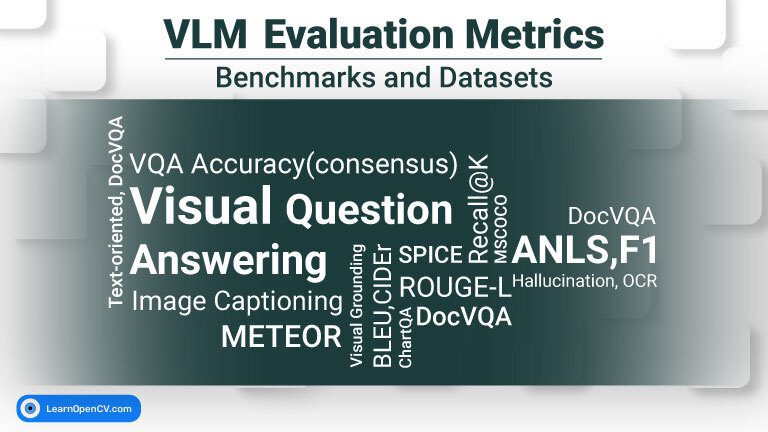
Evaluating a VLM is a bit more complex that that of an unimodal (just vision or just language). They have to be good at both perception and reasoning across modalities. Here, the methods are task specific. We have simplified our tests and comparisons across the following tasks from a broader perspective.

(i). Image Captioning: It is the task of generating a natural language sentence that describes the overall content of the image.
- Output: A sentence or a paragraph.
- Focus: Global understanding, generalization.
(ii). Visual Question Answering (VQA): It is about answering a question in natural language about the image. The output can be a single number, word, sentence, or a paragraph.
(iii). Visual Grounding: The model’s ability to identify and localize objects in an image. The output can be a sentence describing position, bounding box coordinates, or mask of an object.
(iv). Image Text Retrieval: As the name suggests, it’s the ability of a model to comprehend texts from an image.
Note: There are many more tasks such as Cross Modal Retrieval, Compositional and Logical Reasoning, Video Understanding for Temporal Reasoning etc. Each task has various extensive datasets. There are quite a few research papers and benchmarks to evaluate Vision Language Models. We will publish another article discussing model evaluation in details.

Code for Running VLM on Edge Devices
Download the models by using the following commands. We will fetch qwen2.5vl:3b and moondream one after another. Total download size is around 5.5 GB. It might take some time depending on the speed of your connection.
ollama pull qwen2.5vl:3b
ollama pull moondream
The following snippet of code will load the model, define your image, and query. We have added an argument parser to modify the model, image, or the query as required. The response or output is obtained from the function ollama.chat(). It accepts parameters – model name, query, and the image path. We are just measuring generaion time in the script.
# Import libraries.
import ollama
import time
import argparse

# Define main function
def main():
    # Add argument parser
    parser = argparse.ArgumentParser(description="Run an Ollama vision-language model with image + query")
    parser.add_argument("--model", type=str, default="qwen2.5vl:3b", help="Model name (default: qwen2.5vl:3b)")
    parser.add_argument("--image", type=str, default="./tasks/esp32-devkitC-v4-pinout.png", help="Path to input image")
    parser.add_argument("--query", type=str, default="Describe the contents of this image in 100 words.", help="Query string for the model")
    args = parser.parse_args()

    # Init start time variable to measure generation time
    start_time = time.time()

    # Obtain the model response
    response = ollama.chat(
        model=args.model,
        messages=[
            {
                "role": "user",
                "content": args.query,
                "images": [args.image],
            }
        ]
    )

    end_time = time.time()

    print("Model Output:\n", response["message"]["content"])
    print("\nGeneration Time: {:.2f} seconds".format(end_time - start_time))

if __name__ == "__main__":
    main()
Inference Using Qwen2.5VL(3B)
Developed by Qwen Team at Alibaba Cloud as a part of the Qwen VL(Vision Language) series. It was released in Jan, 2025. Qwen2.5VL(3B) outperforms Qwen2VL(7B). The suffix 3B stands for 3 billion parameters. It is lightweight but powerful.
- RAM Consumed: ~ 5GB
- Model size: 3.2 GB
4.1 Key Features of Qwen2.5VL (3B)
The primary features or task capabilities of the model are as follows.
- Multimodal perception
- Agentic interactivity: Capable of operating tools like desktop or mobile interfaces.
- Extended video comprehension: Hour long video analysis using dynamic frame-rate sampling and temporal encoding
- Precise visual localization: Generate bounding boxes, points in JSON format etc.
- Structured data extraction: Parsing docs like invoice, forms, tables etc into structured format.
Check out this article on Qwen2.5VL for in-depth analysis of the architecture and application for Video Analysis and Content Moderation.
4.2 Visual Question Answer (VQA) Test on Qwen2.5VL(3B)

We are using two images here – an image with a pothole, and a person tripping at shopfloor due to some cables. The VQA tasks for the model are as follows:
- How many potholes are there in the image?
- Why is the person falling?
Click on the image below for an enlarged view. As you can see, the devices below 4GB RAMs are not able to run the model. We could increase the SWAP size, however the idea is to check the model’s performance out of the box.

The model is able to precisely calculate the number of potholes in all the boards. Time taken for inference is varying drastically. You might be worndering why RTX 3060 12 GB GPU is there in an article about VLM on edge? We are adding it for reference (pinned on the top left corner). The time taken by Jetson orin Nano 8G and RTX 3060 is comparable at 4 and 9.4 seconds respectively. On the other hand, the Pis took close to 2 minutes and 5 minutes respectively.

All the boards (above 4GB) are able to run the model correctly with similarity patterns in time taken. It has reduced to 2.48s and 2.78s in RTX 3060 and Orin Nano. Given the footprint of the Jetson Orin Nano, the performance is commendable.
4.3 OCR Capability of Qwen2.5VL(3B)
We are passing an image with a simple heading and a paragraph of Gemma 2 paper for our model to analyse. The text input is – “Read the text in the image and explain”. All devices above 4GB RAM are able to run it well. Speaking of Gemma, here is another article explaining Gemma 3 paper in detail.

OCR part took a little longer compared to VQA for count or non text based reasoning. The Orin Nano took 21.27 seconds, Pi5 – 145.43 seconds, Pi4b 8G – 302.41 seconds, rest faced “out of memory” issue. It is still fine. In most real-world scenario you may not need a system that reads pages in milliseconds.
4.4 Image Captioning using Qwen2.5VL(3b)
We are using an image containing a PIN out diagram of ESP32 developer board from Espressif. The task for the model is to generate an overall description of the image in 100 words. Click the image to zoom in on details if not visible by default.

It is a complex image – containing text, drawings, diagrams, and notations. The results by Orino Nano is pretty good. It is able to understand technical details clearly as expected.

For Raspberry Pis however, things did not go really well. By the time we reached the captioning test, the Raspberry Pis called it a day. They were throttling as the temperature reached 90 degree celsius. Both the Pis could not generate output even after 10 minutes.
We can see that Pi4b 4G – which was not running is at 47 degree celsius. Whereas Pi5 and Pi4b trying to run captioning is at 90 degree celsius. It is clear than for running VLM on edge devices, at least passive cooling using heat sink is a must.
4.5 Discussion of Results
Clearly Jetson Orin Nano is performing well in terms of speed and accuracy. However, we should not forget that the Orin Nano board has a huge heat sink and an active fan (out of the box). This is not a fair comparison at all. Again, this is not exactly a comparison.


Inference Using Moondream2 the Perfect VLM on Edge
Moondream claims to be the world’s tiniest vision language model with just 1.8 billion parameters. It can run on devices having memory of just 2GB. This makes Moondream ideal for almost all edge devices.
- Memory Required: Less than 2GB
- Model size: 1.7 GB
- Model: sigLIP based
- Projector: Phi-1.5 based
It is built using distilled and fine-tuned components from SigLIP (a sigmoid-based contrastive loss model) and Microsoft’s Phi-1.5 language model. Read more about DeepMind SigLIP here.
For testing, the Moondream2 model is subjected to the same tests as above and results are recorded.
5.1 Visual Question Answer (VQA) Test on Moondream2

We can see that Moondream2 is much faster. Interestingly, Jetson Orin Nano displayed garbage output. We observed this error with only Moondream. Upon trying other models like LlaVA 7b, Llava-llama3, Gemma2:4b, Gemma3n etc. Few users have reported the issue as well. We will dive deeper and update on the causes and fixes later. Also some wrong counts were observed with RTX 3060 and Jetson Nano 4GB.

Moondream2 is saying the person might have fallen due to running. It has also detected the entangled cable. However, it is not able to connect the relation between falling and entanglement. Qwen2.5VL on the other hand, is able to detect the reason clearly, takes a little longer.
5.2 OCR Capability of Moondream2

The character recognition is decent and all devices are able to recognize the content. Excluding Jetson Orin Nano who defaulted to generating “GGGG” like case 1.
5.3 Image Captioning using Moondream2
Although the devices took their time, all are performing as expected. It is able to clearly describe that there is a Esp32 devkit pin out diagram and related information. Minor hallucinations are observed.
Q. What is hellucination in context of generative models?
You are thinking right – it is as the name sounds. Hellucination is when a model confidently presents false information as if it were true. The model just makes up things – just like I did above while stating width of an RPi as 3.4 inch.

Although the devices took their time, all are performing as expected. It is able to clearly describe that there is a Esp32 devkit pin out diagram and related information. Minor hallucinations are observed.
5.4 Discussion of Results


CONCLUSION for VLM on Edge Devices
With this we wrap up experimenting with VLMs on edge devices out of the box. One should not compare the SOTA models having Trillions of parameters with small models performing specific tasks. While it is not possible to nullify the need of higher computational necessities, running task specific small VLM on edge is possible.
Moondream2 is designed for compact, edge-friendly inference, and appears to operate with a relatively limited token context (Approx. 1000 tokens), suitable for quick multimodal tasks on constrained hardware.
Qwen2.5-VL (3B) is a much more capable multimodal model, supporting very long context windows, up to 125K tokens, enabling processing of large documents, videos, multi-image sequences, and agentic pipelines.
This was just about setting up the basic test pipeline. Next, we will add heat sinks, cooling fans, and SSDs for better performance. We will test more models from huggingface by installing transformers, and run tests on videos as well.
I hope you liked reading the article VLM on Edge Devices. Please add your feedback in the comments section below. Any suggestions or requests are always welcome.
- SAM-3: What’s New, How It Works, and Why It Matters
- Image-GS: Adaptive Image Reconstruction using 2D Gaussians
- vLLM: Deploying LLMs at Scale Like OpenAI
- The Ultimate Guide to Vector DB and RAG Pipeline
- What Makes DeepSeek OCR So Powerful?



100K+ Learners
Join Free OpenCV Bootcamp3 Hours of Learning